
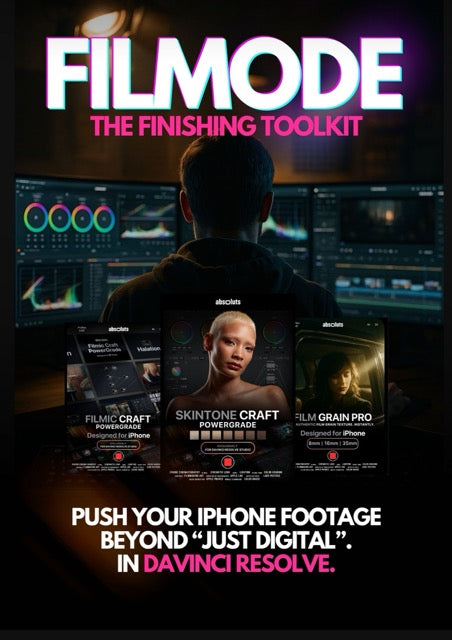
FilMode Toolkit
Inside the Cinematic Toolkit


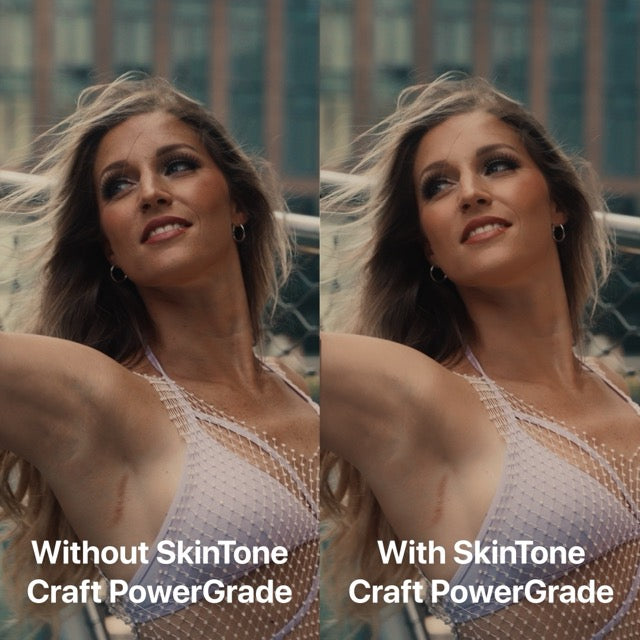
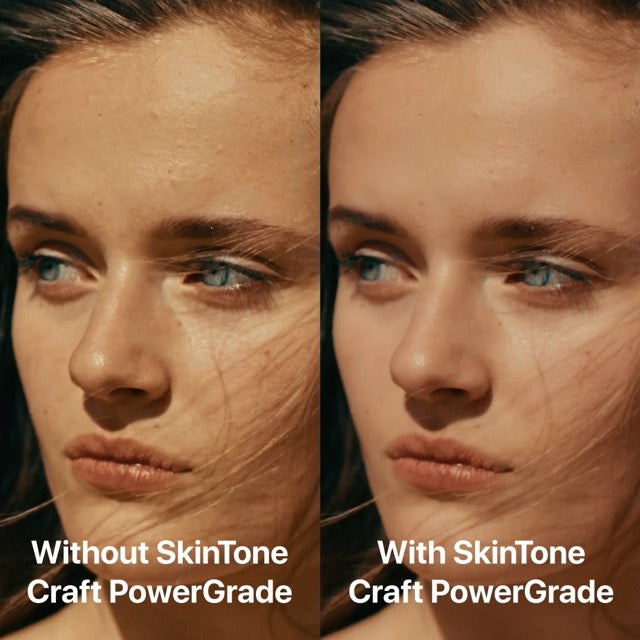
Watch the SkinTone Craft PowerGrade in action!

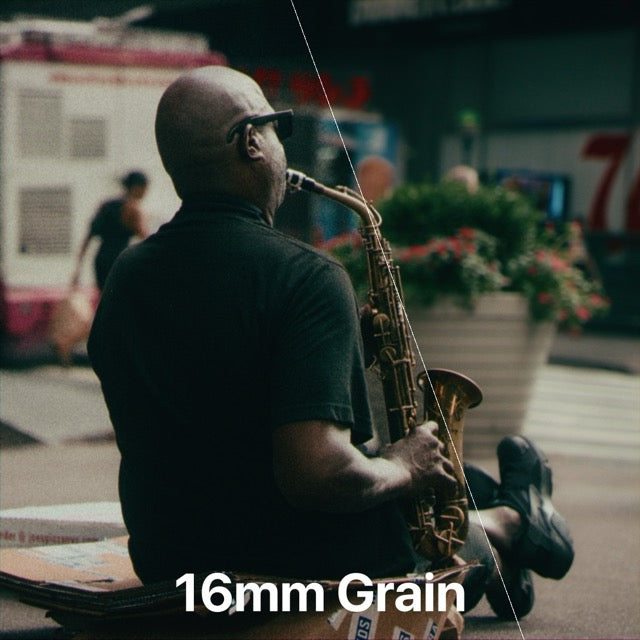
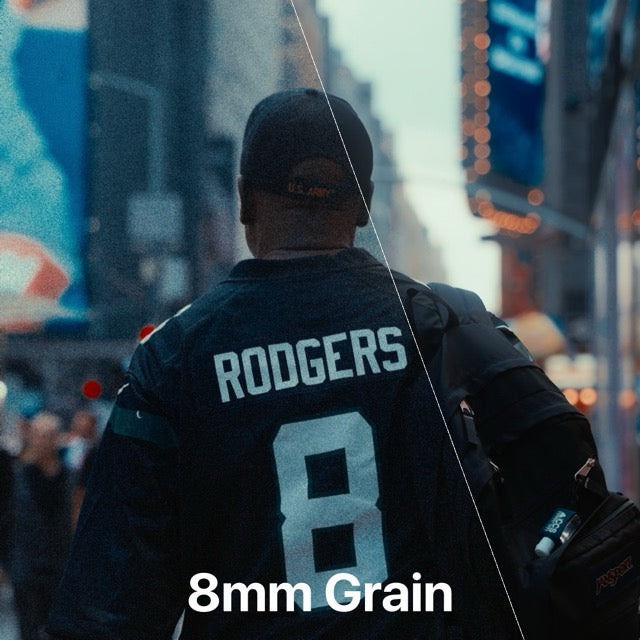
Our LUTs + 35mm Film Grain. Real film feel, straight from iPhone.

Before

After
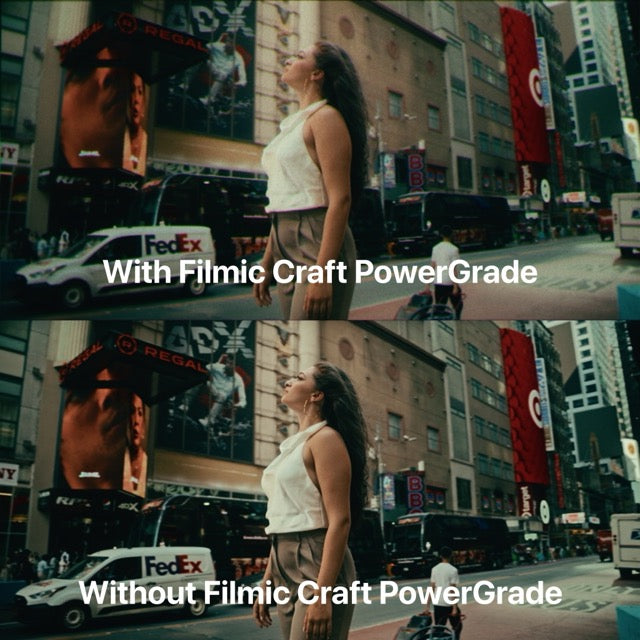
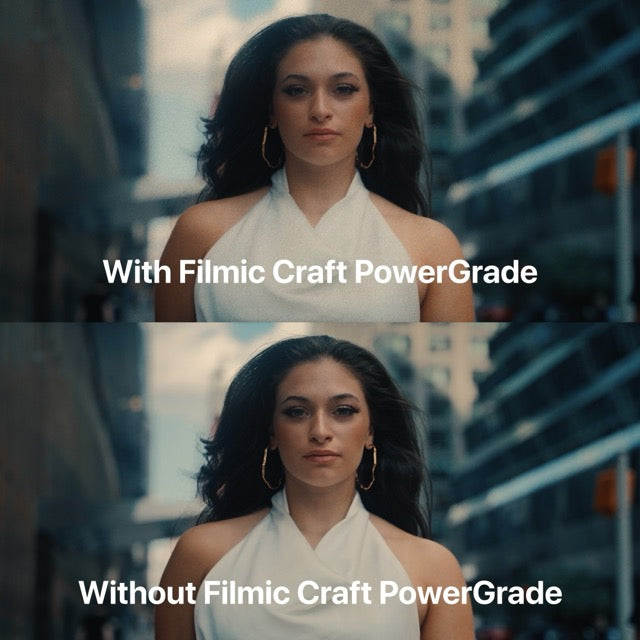
Our LUTs + Filmic Craft PowerGrade. Redefined texture and aesthetics.

Before

After
Combine the FilMode Toolkit with our LUT Bundles


FAQ
What is a PowerGrade?
A PowerGrade is a set of preset nodes that define a particular color correction or effect. These nodes encompass all image modifications, from color adjustments to blur effects, ensuring comprehensive editing capability.
What sets PowerGrades apart is their customisable and non-destructive design. Every element, including individual node settings, can be tailored to suit the project's requirements perfectly.
What will I receive?
Immediately after your purchase, you can download your product(s) from the checkout page or via the download link sent automatically to your e-mail within a few seconds.
Inside the folder you’ll find the .dpx and .drx files ( the actual PowerGrades ) with their super detailed user guide on how to use them. You'll also find 15 Film grain overlays ( 5x8mm, 5x16mm, 5x35mm ) with the user guide and video tutorial on how to use them.
Can I use this PowerGrade with other softwares?
Unfortunately not, PowerGrade are exclusively built for DaVinci Resolve only. You will need the DaVinci Resolve Studio ( paid version ) to use this PowerGrade.
Do I need any third-party plugins?
No. The effects used in this PowerGrade are native DaVinci Resolve OFX plugins so you do not need to install any third party plugins. Note that you'll need the DaVinci Resolve Studio version in order to use the PowerGrade
What editing softwares are the Film Grain Pro Overlays compatible with?
Our Film Grain Overlays work with any software that supports video layers and blending modes, including Final Cut Pro, DaVinci Resolve, Adobe Premiere Pro, After Effects, LumaFusion, CapCut, and more.
How long are the Film Grain Pro overlays? Can I use them for longer videos?
Each overlay is 5 seconds long, but they're designed to loop seamlessly. Just duplicate the layer on your timeline to cover the full length of your video.
Can I use the Film Grain Pro Overlays with your LUTs?
Absolutely. Our overlays are designed to complement our LUTs perfectly. Apply your LUT first, then add the grain layer for the most cohesive, cinematic look.
Should I Pre-Color My Footage before applying any of the products included in the FilMode Toolkit?
Yes, absolutely. The products included in the FIlMode Toolkit don't include any color space conversion or exposure/contrast/color adjustments as they are only intended as finishing tools.
You should apply the PowerGrades at the end of your Node tree ( or at the Timeline level ), after you’ve made all your primary and secondary corrections.
You should apply the Film Grain overlays on the top layer of your timeline, above your footage.
Will I get a refund?
Because all our products are digital downloads, we have no way of taking back the files once you purchase them. For that reason, we can not issue refunds.
If by mistake you purchase multiple quantity of our products, no refunds will be made. If you have any questions or concerns about your purchase, please don't hesitate to reach out to us via the contact page.
My download has expired, do I have to repurchase the pack?
We only renew the download link within 30 days from the date of purchase.
If your download link has expired and it has been more than 30 days then you have to repurchase the pack.
Disclaimer
It is important to note that these are not a one-click solution; merely applying them is not enough. It is necessary to modify the various nodes and settings individually to adapt it to the specific type of video material.
The default settings represent the starting point and serve as a guide to understand the functioning and effect of each specific node or overlay.
Our PowerGrades are designed to enhance your footage towards your desired look, though they may not perfectly replicate film characteristics and aesthetics due to factors like subject matter and lighting.
While achieving an exact match may vary, our PowerGrades serves as a catalyst to elevate your footage, imparting a professional and cinematic appearance.
